
Franchise Booking by ZIP Code: One Link, the Right Location
A franchise brand on Arrively gets one booking page. The customer types an address, and Arrively sends them to the location that serves it. You decide who covers which ZIP codes, every location's page carries your brand, and each owner keeps running their own schedule.
Why one link per location falls short
A franchise has one name and several owners. Customers know the name. They do not know which owner covers their street.
Give each location its own booking link and the customer has to guess. Some guess wrong and book with a location that cannot reach them. Others give up.
A single brand link fixes that. It asks for the one thing it needs, the address, and does the matching for you.
How customers get to the right location
Your brand page lives at arrive.ly/your-brand. You can also give it a subdomain like your-brand.arrive.ly, and it can be embedded on your own website.
The customer enters their address and picks it from the list. Arrively matches it to a location and moves them straight into that location's booking flow. Their address stays filled in, and they can change it at any time.
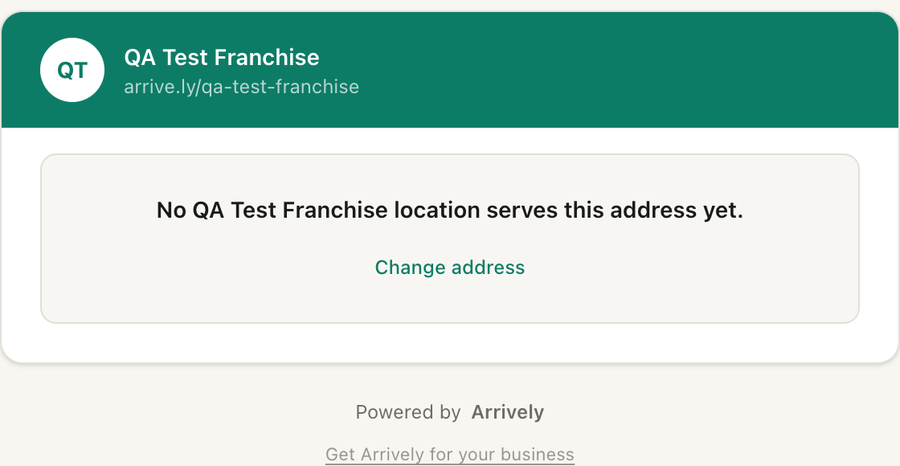
If the address is outside every location's area, the customer sees a clear message and a link to try another address.
Territories by ZIP code
You assign a list of ZIP codes to each location. A customer whose address is in one of those ZIP codes goes to that location, even when the address is a bit outside the location's usual service radius. You decide who serves what, and the customer never has to.
Each ZIP code belongs to one location within your brand, so two owners never end up competing for the same customer. If an assignment overlaps, Arrively tells you which location already has that ZIP.
For ZIP codes no one has claimed, Arrively falls back to the nearest location whose service area covers the address. Customers are only sent where a technician can go.
That means a ZIP code you assign is one you can actually sell. The customer is never sent to a location and then told they are out of range. They see real openings and book.
One brand look on every location
Every location's booking page shows your brand. You set the hero image, welcome message, brand color, and trust badges once, and they appear on every location's page.
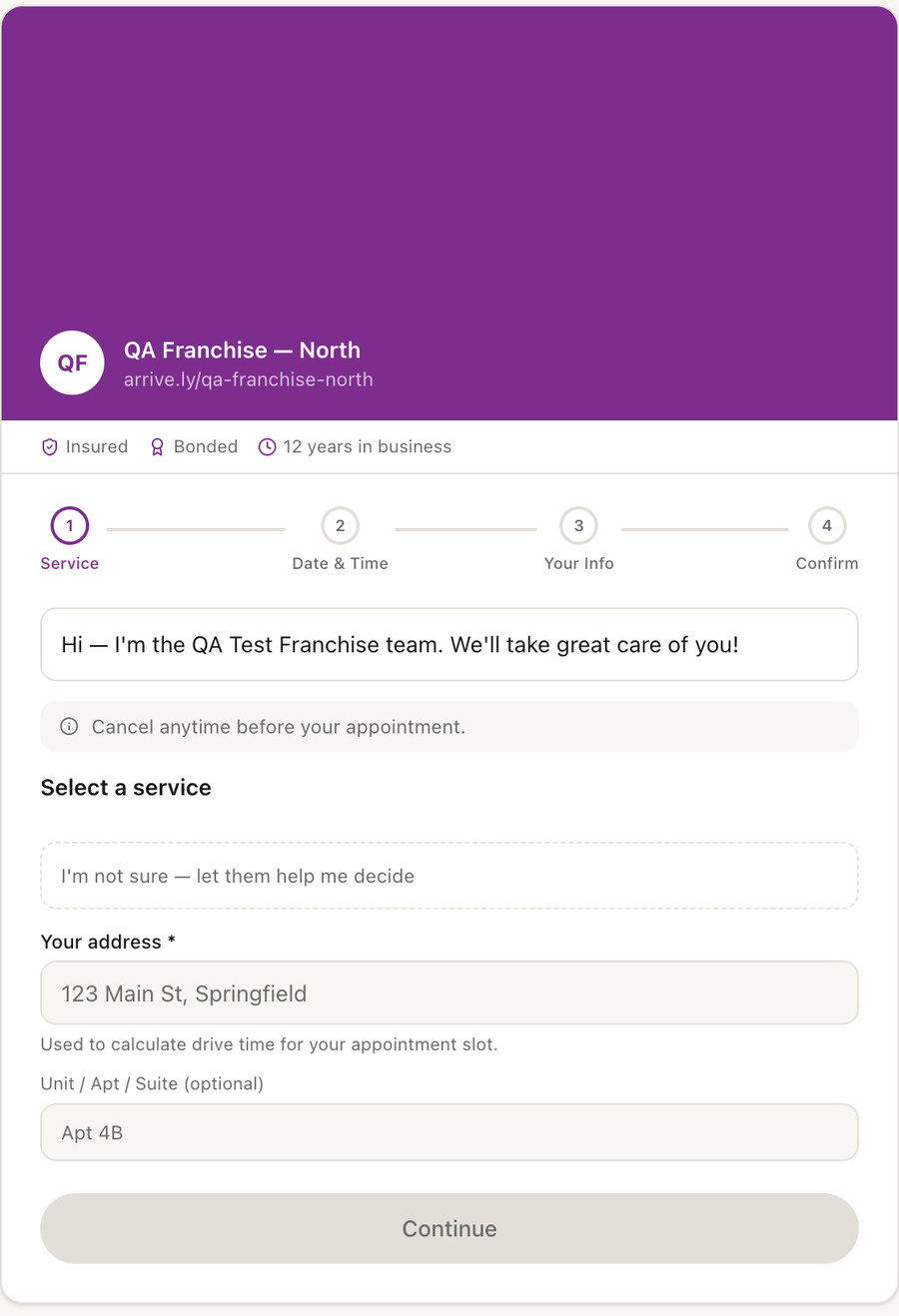
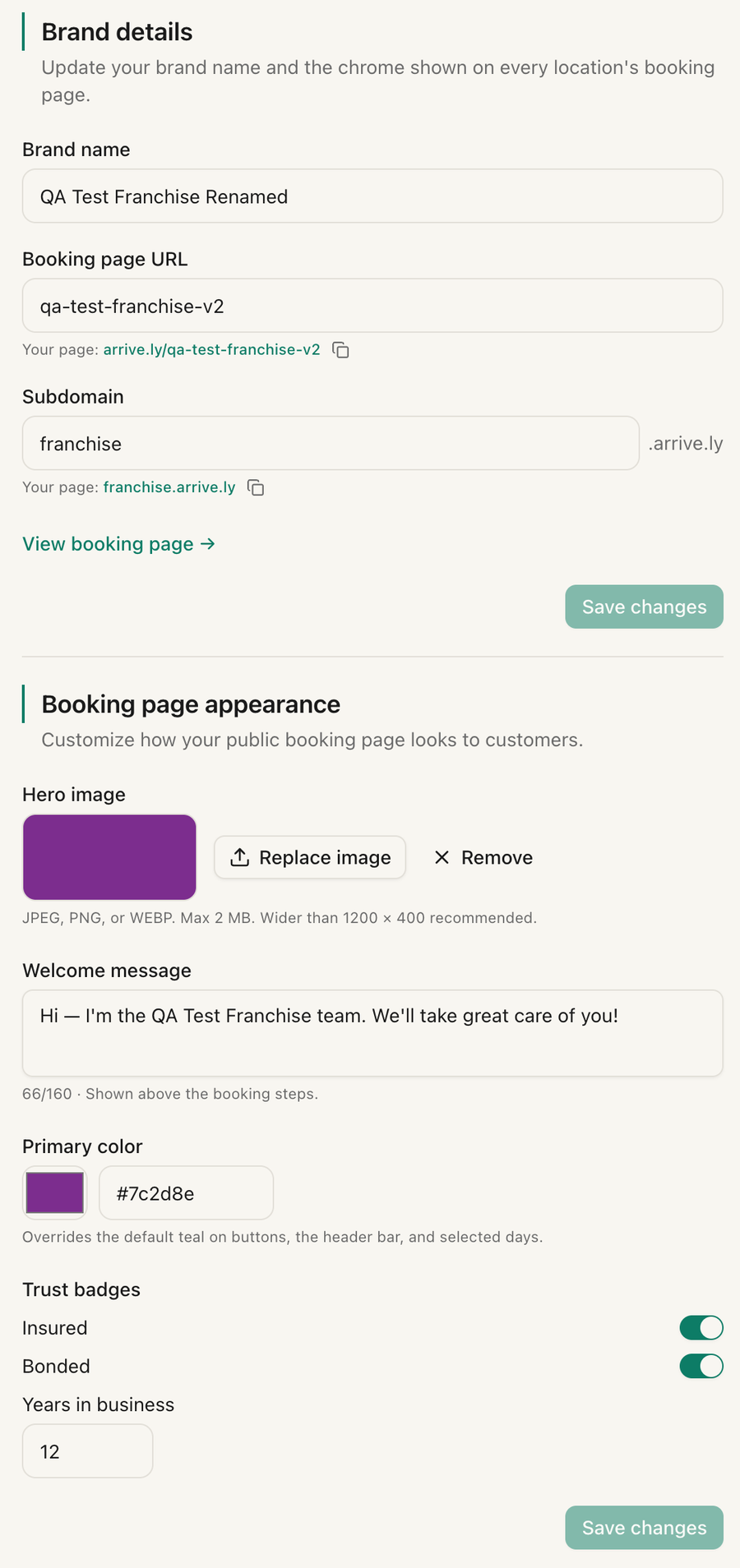
Change the welcome message or color and every location updates right away. Each location keeps what should stay local: its phone number, business address, and cancellation cutoff. Services, technicians, and schedules are per location too, so each location only offers time slots its own team can reach.
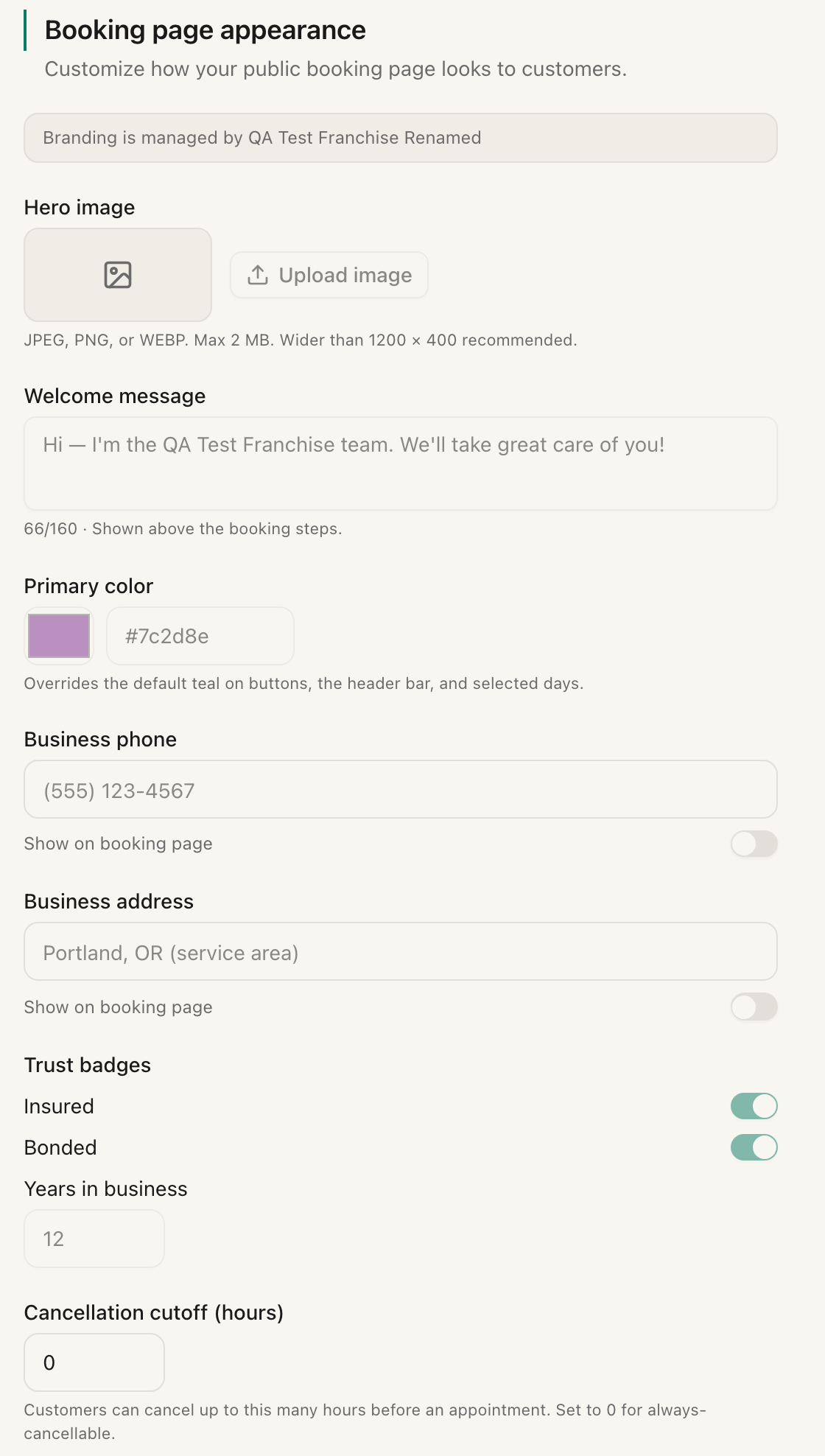
Location owners see the brand's current look in their own settings, locked, with a note that branding is managed by the brand. What they see there is what their customers see.
Manage the brand from one dashboard
Brand admins get their own dashboard. From there you can:
- Update your brand name, booking page URL, and subdomain
- Change the hero image, welcome message, color, and trust badges
- Invite more people to help manage the brand
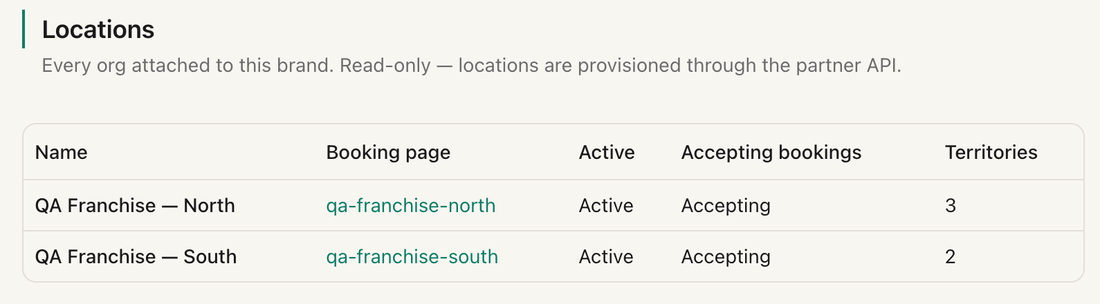
- See every location with its booking page, status, and how many ZIP codes it covers
Phone orders go to the right place too
Not every customer books online. If you run a call center or a CRM, your system can ask Arrively for a booking link based on the caller's address, and the link is routed to the right location automatically. The customer gets a link with the service already chosen and books from there. If the service does not belong to the location that covers the address, your system is told which location it is.
This runs through Arrively's partner API, so it takes a developer or an integration. The details are in the API reference.
Who this fits
This suits a brand whose locations sell services at set per-visit prices and send technicians to the customer. Arrively is drive-time aware scheduling for that model, so each location only offers time slots its technicians can reach. See how scheduling works and the booking page for the location-level flow.
Adding locations as you grow
Once your brand is set up, you add new locations yourself. One request to Arrively's partner API creates the location and returns an invite link. Send that link to the new owner, and they sign up and claim their own account. You then assign the location's ZIP codes the same way, and its territory is live.
Getting started
Getting a brand set up takes a conversation. Reach out through the support page, tell us how many locations you have and roughly how your territories divide, and we will set up your brand and your partner API access. Your developer can take it from there, and the API reference covers every call.
Frequently Asked Questions
Can Arrively send customers to the right franchise location by ZIP code?
Yes. You assign ZIP codes to each location. When a customer enters their address on your brand's booking page, Arrively sends them to the location that serves that ZIP code. If no location has claimed it, the customer goes to the nearest location whose service area covers the address.
What does a customer see if no location serves their address?
They see a friendly message that no location serves that address yet, with a link to try a different address.
What happens if two locations are assigned the same ZIP code?
Within a brand, each ZIP code belongs to one location. If an assignment overlaps, Arrively tells you which location already owns that ZIP and saves nothing, so your territory map stays clean.
Do all locations look the same to customers?
Yes. The hero image, welcome message, brand color, and trust badges come from the brand and appear on every location's booking page. Each location keeps its own phone number, business address, and cancellation cutoff.
Does each location have its own Arrively account?
Yes. Each location has its own owner login, services, technicians, and billing, and the brand ties them together under one booking page.
How do I get a franchise brand set up on Arrively?
Contact us through the support page. We set up your brand and give you access to Arrively's partner API. From there you add each new location yourself, and Arrively hands back an invite link to send to that location's owner.
Related posts
Best Scheduling Apps for Mobile Auto Detailers in 2026
Compare the best scheduling and booking apps for mobile auto detailers. Pricing, features, pros, and cons for Arrively, Urable, Mobile Tech RX, Square Appointments, and more.
Compact Scheduling: Keep Your Day Geographically Tight Without a Receptionist
Compact Scheduling only offers new bookings next to your existing jobs, within a drive-time window you set — automatically, with no receptionist checking a map.
Recurring Appointments for Mobile Groomers (4-6 Week Cycles, Made Easy)
How mobile groomers run 4, 5, 6, and 8-week recurring cycles without manual rebooking — and why generic calendar tools break for breed-specific grooming cadences.